If there’s one thing social media has made crystal clear, it’s that video content is king. Whether you’re a content creator, a digital marketer, or a small business owner, you already know how crucial it is to show up with fresh, engaging videos that catch your audience’s attention.
But let’s be real, it’s exhausting to plan, script, record, and edit a video that might only get a few seconds of watch time.
I used to spend hours each week trying to keep up with content trends and video production just to stay visible online. The burnout was real until I discovered some really good AI video generator tools.
These tools sped up my workflow and changed my entire video content game. They gave me back my time while still letting me create scroll-stopping, algorithm-friendly content consistently.
In this post, I’ll talk about some of the best AI video generator tools I’ve tested that helped me improve my social media content, without sacrificing quality or creativity.
1. Revid AI
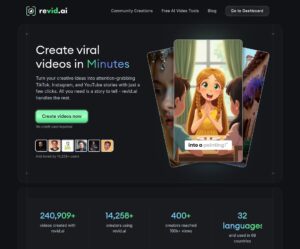
Revid AI is an AI video generator that transforms your blog posts, captions, scripts, or even just raw text into polished, professional-looking videos tailored for platforms like Instagram, TikTok, YouTube Shorts, and more.
Why Revid Stands Out
What makes Revid AI different is its laser focus on speed and style. It’s not just about turning text into video; it’s about making your content feel like it was edited by a full-time social media team.
The tool uses AI to match scenes, transitions, and music to your message so your videos look dynamic and on-trend, even if you have zero editing experience.
If you’re juggling a personal brand or running multiple client pages, this is where Revid shines. It lets you generate dozens of videos from existing text content in just minutes, helping you stay consistent with your social media video strategy without burning out.
Pros
- AI instantly matches visuals, music, and pacing to your content.
- Extremely beginner-friendly interface.
- Wide template library tailored for reels, shorts, and stories.
- Saves hours of editing time and is perfect for batch-creating weekly posts.
- Great for repurposing blog posts into video highlights.
Cons
- Limited advanced editing options for pros who want total control.
- The free version adds a watermark (paid plans remove it).
2. SoravideoAI
SoravideoAI is an AI video generator designed for creators and brands that care about storytelling, tone, and consistent visuals. Instead of just converting text into scenes, it actually analyzes your content to generate brand-aligned videos that feel intentional and not robotic.
Why SoravideoAI Stands Out
What sets SoravideoAI apart is its intelligence and customization. It doesn’t just grab random stock clips. Instead, it scans your script or blog post, pulls in relevant visuals, adds human-like voice-overs, and can even style your video with your brand colors and logo.
If you’re building a presence across YouTube, LinkedIn, and Instagram, this tool ensures your videos don’t feel like generic content. It delivers AI-generated videos that actually sound like you, which is rare in the world of automation.
Pros
- High-quality voice-overs with multiple tones and accents.
- Brand kits let you lock in your fonts, colors, and logo for every video.
- Ideal for turning long-form content into short-form video highlights.
- Great storytelling rhythm, especially for listicles and educational content.
- Supports multi-language output for global reach.
Cons
- Slightly steeper learning curve for first-timers.
- Heavier files may take a while to render, depending on internet speed.
3. VideoFast
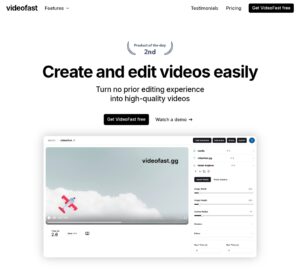
VideoFast is an AI video generator built for speed. Its entire premise is to help creators, marketers, and social media managers go from idea to publish-ready video in minutes. Whether you’re repurposing blog content, scripting social ads, or turning product features into explainer videos, VideoFast keeps it lean and efficient.
Why VideoFast Stands Out
This tool truly lives up to its name. With just a few inputs like a title, short description, or existing URL, VideoFast can generate entire video drafts complete with visuals, transitions, subtitles, and background music. It works exceptionally well for daily content creators and busy marketers managing multiple accounts.
The editing interface is clean and intuitive, and it even allows for real-time collaboration with team members. That means you don’t need to wait for post-production. Your video is ready within the hour.
Pros
- Super-fast rendering and video generation time.
- Drag-and-drop editor with easy customization.
- Auto-captioning and subtitle formatting are accurate and style-friendly.
- Great for TikTok, YouTube Shorts, and Instagram Reels.
- Supports direct scheduling to social platforms.
Cons
- Visuals can sometimes feel generic unless customized manually.
- Voiceover quality is decent but not as dynamic as some others.
4. Vidshorter

Vidshorter is an AI video generator built specifically for short-form video content. Think TikToks, YouTube Shorts, Instagram Reels, any platform where attention is fleeting, and every second matters. What makes Vidshorter unique is how well it understands the rhythm and psychology of social media engagement.
Why Vidshorter Stands Out
It doesn’t just cut down long content into smaller bits. Vidshorter strategically analyzes scripts, blog posts, or voice inputs, and creates visually rich, hook-driven short videos.
It identifies key emotional triggers, inserts engaging captions, and picks background music that keeps people watching. If you’ve ever struggled to make snappy, scroll-stopping videos, Vidshorter does the heavy lifting.
Another standout feature is its automated hook generator. Just input your topic or paste a piece of content, and the tool creates punchy, high-retention intros followed by tightly packed visuals.
Pros
- Excellent for repurposing longer content into bite-sized videos.
- AI-driven script trimming and hook suggestions.
- Built-in templates optimized for TikTok and Reels algorithms.
- Smart text animation and pacing for mobile viewers.
- Integrates with scheduling tools and content calendars.
Cons
- Less ideal for long-form or horizontal video formats.
- Requires some manual tweaking if you want brand-specific styling.
5. Copymedia
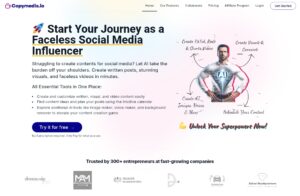
Copymedia is an AI video generator designed to transform your written content, whether it’s a blog post, tweet, or product description, into dynamic, professional-quality videos.
If you’re a content creator, marketer, or brand juggling multiple platforms, Copymedia makes it easy to repurpose your text-based content into compelling visual stories.
Why Copymedia Stands Out
Unlike tools that require you to piece everything together manually, Copymedia thinks for you. You feed it a block of text, and it auto-selects the best visuals, generates smooth transitions, and even writes voiceover scripts. It feels less like a tool and more like a creative partner.
It also comes with a smart template engine that matches your content’s tone with the right visual style – professional for LinkedIn, vibrant for Instagram, snappy for TikTok. Plus, it supports multiple languages, making it ideal for global social media strategies.
Pros
- Seamlessly converts blogs, tweets, and ads into videos.
- Intelligently recommends visuals and music.
- Built-in voiceover generator with natural-sounding tones.
- Smart templates tailored to the platform and tone.
- Excellent for repurposing evergreen content.
Cons
- Less customizable than tools made for video editing pros.
- Voiceover options, while natural, may still benefit from manual edits.
6. Doodle Video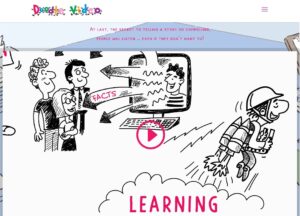
Doodle Video is an AI video generator built specifically for creating whiteboard-style explainer videos. If your brand leans toward educational content, tutorials, or storytelling that needs a visual touch without overwhelming graphics, Doodle Video is a go-to.
Why Doodle Video Stands Out
Unlike typical AI video generators that focus on cinematic visuals or quick social clips, Doodle Video takes a more narrative-driven approach. It’s designed to help you simplify complex ideas into digestible, animated sketches, which makes it perfect for thought leadership, SaaS onboarding, or service-based businesses.
Its AI doesn’t just animate randomly; it “reads” your script, identifies key phrases, and matches them with relevant sketch-style illustrations, hand animations, and transitions. You get professional-quality results without touching any design tools.
Pros
- Easy drag-and-drop interface powered by smart automation.
- Converts scripts into engaging whiteboard animations in minutes.
- Custom voiceover options and multilingual support.
- Great for course creators, coaches, and educators.
- Creates evergreen videos ideal for YouTube or LinkedIn.
Cons
- Whiteboard format may not suit trendy or fast-paced content styles.
- Limited video style variety compared to more general AI video generators.
Choosing the Right AI Video Generator for Your Content Strategy
Finding the best AI video generator isn’t just about features, it’s about fit. The right tool depends heavily on your goals, audience, and content platforms. Before you hit “generate,” it’s worth thinking through a few key points.
1. Where Are You Posting?
A tool that works great for YouTube Shorts might not be ideal for TikTok or Instagram Reels. For example, VideoFast and VidShorter shine when it comes to snappy, vertical content built for fast-paced platforms.
On the other hand, if you’re producing more in-depth, educational videos for YouTube, tools like Doodle Video or SoravideoAI give you the structure and narrative control you need.
2. What Kind of Videos Are You Making?
Are you showcasing a product? Creating motivational quote reels? Breaking down complex topics into quick listicles? Each use case might call for a different AI video generator.
For instance, Revid is great for turning blog content into sleek video summaries, while Copymedia focuses on visuals and transitions perfect for product highlights.
3. What’s Your Budget and Workflow Like?
Some tools are plug-and-play with affordable pricing, perfect if you’re a solo creator or startup marketer. Others offer more customization and flexibility, but they may come with a steeper learning curve or higher monthly fees.
If speed matters most, VideoFast and VidShorter are fantastic for automating the entire process in just a few clicks. But if you value control and branding precision, something like Doodle Video might be worth the time and investment.
Ready to Power Up Your Social Media With the Right AI Video Generator?
AI is no longer the future, it’s the toolset of today’s most efficient creators. Whether you’re repurposing blog content, turning customer reviews into reels, or delivering bite-sized tips to a scrolling audience, the right AI video generator makes the difference between content that gets skipped and content that converts.
Don’t wait until burnout forces you to automate. Embrace the shift now.
Test any of these tools you find fascinating, find your rhythm, and build a consistent, high-quality video presence across your platforms, without spending hours on editing.
Your audience is ready to watch. The question is, are you ready to create faster?